FullScreen for Chrome: Zoom, Dark Mode, and More
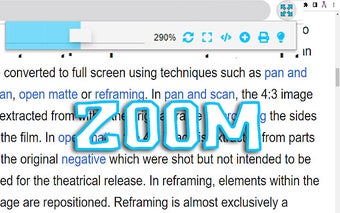
FullScreen for Chrome is a versatile extension that offers a range of features to enhance your browsing experience. With this extension, you can zoom in on web pages, allowing you to view them in greater detail. But FullScreen offers more than just zooming capabilities. It also allows you to make any webpage full screen, giving you a more immersive browsing experience.
One of the standout features of FullScreen is its dark mode option. This feature enables you to view web pages with a dark background, which can be easier on the eyes, especially in low-light environments. Additionally, FullScreen allows you to open the source code of any website, giving you the ability to delve into the technical aspects of web development.
Another useful feature of FullScreen is the ability to duplicate tabs. This can be handy when you want to keep multiple instances of a webpage open for reference or comparison. Additionally, FullScreen provides options for printing web pages, allowing you to easily create hard copies of online content.
Overall, FullScreen for Chrome is a lightweight and user-friendly extension that offers a range of useful features. Whether you want to zoom in on web pages, view them in dark mode, or explore their source code, FullScreen has you covered.